CantiereCam · your site in one click
Photos with stamp and GPS, site diary, delivery notes and invoices read automatically, notes and reminders. Already organised by project and site, one-handed and offline.
Try it free for 60 daysSee what it doesAndroid · Italian, English, Spanish · no cloud subscription: your data stays yours
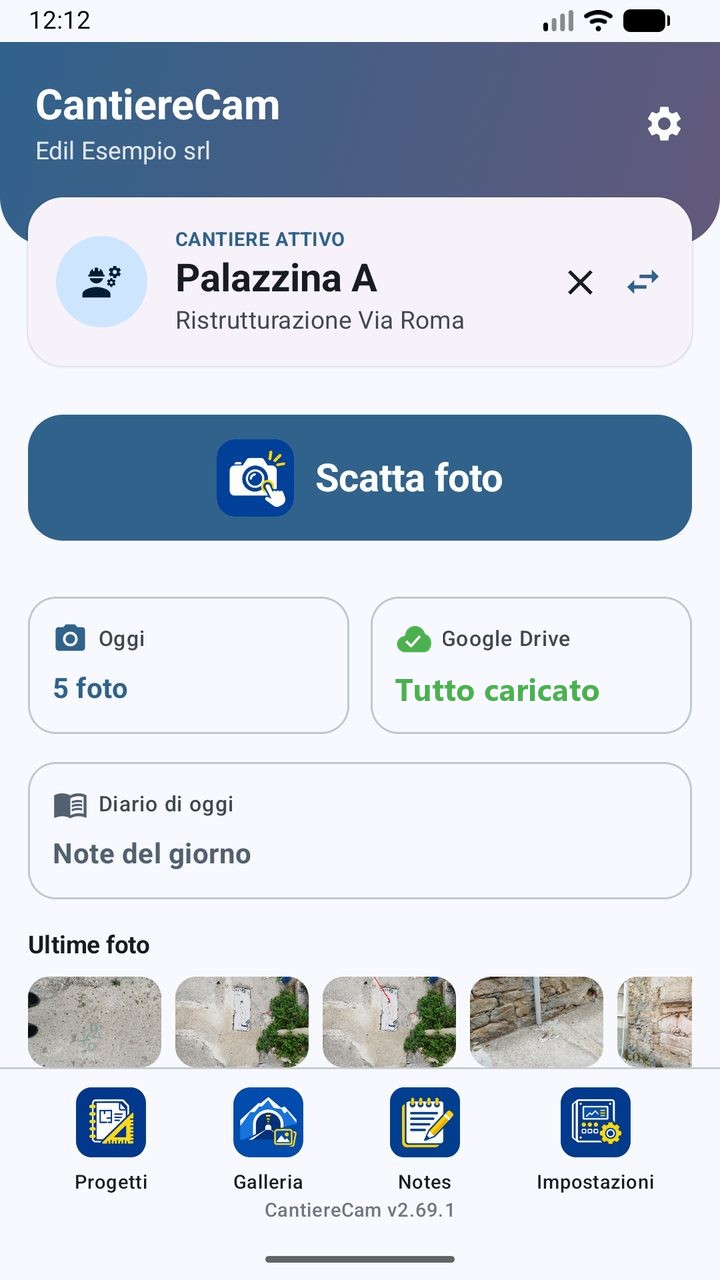
Site photos end up in the phone's memory, lost among family pictures. A month later, finding them is a job in itself.
The site diary gets written in the evening, from memory, when the day is already over.
Delivery notes stay in the van. At the end of the month the supplier accounts don't add up.
"When did you take that photo? Where?" At the first dispute you need proof, not a memory.
Designed by a site engineer for people on site: few taps, readable in the sun.
Company, site, date, time, coordinates, altitude and direction printed on the photo. Every photo lands in the right folder by itself: project → site → day.
Fast handwriting with finger or pen, arrows, dimensions, measurements, site lines and utilities. The original stays untouched; the annotated copy goes into the diary.
Weather, workers and machines with hours, work done, remarks, voice notes. As PDF or Word with your logo, in one tap.
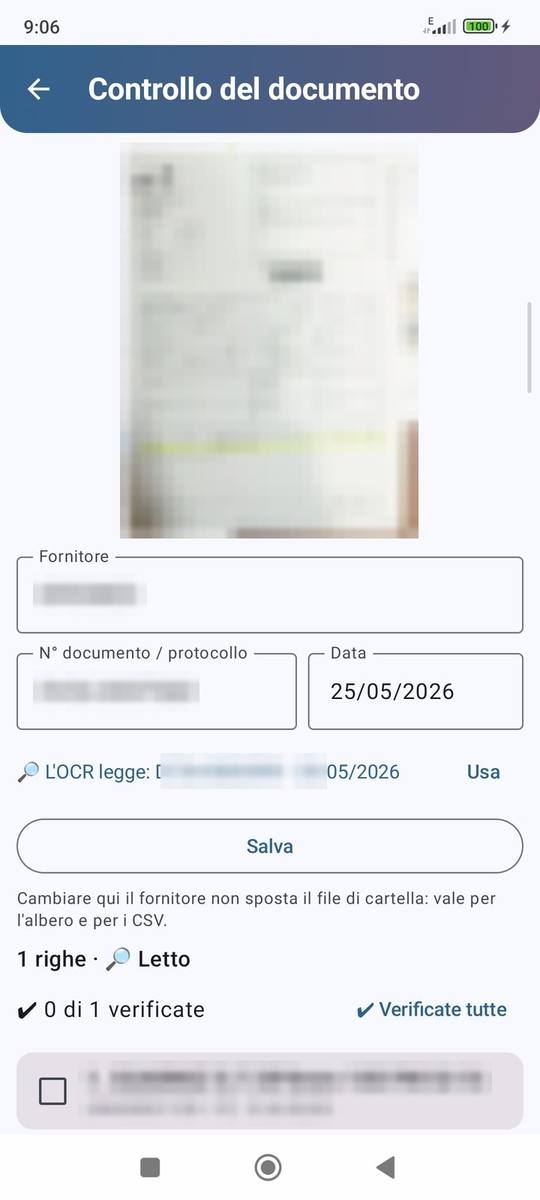
Photograph the document: the app recognises supplier, number and date, reads the lines and builds the Excel list for accounting.
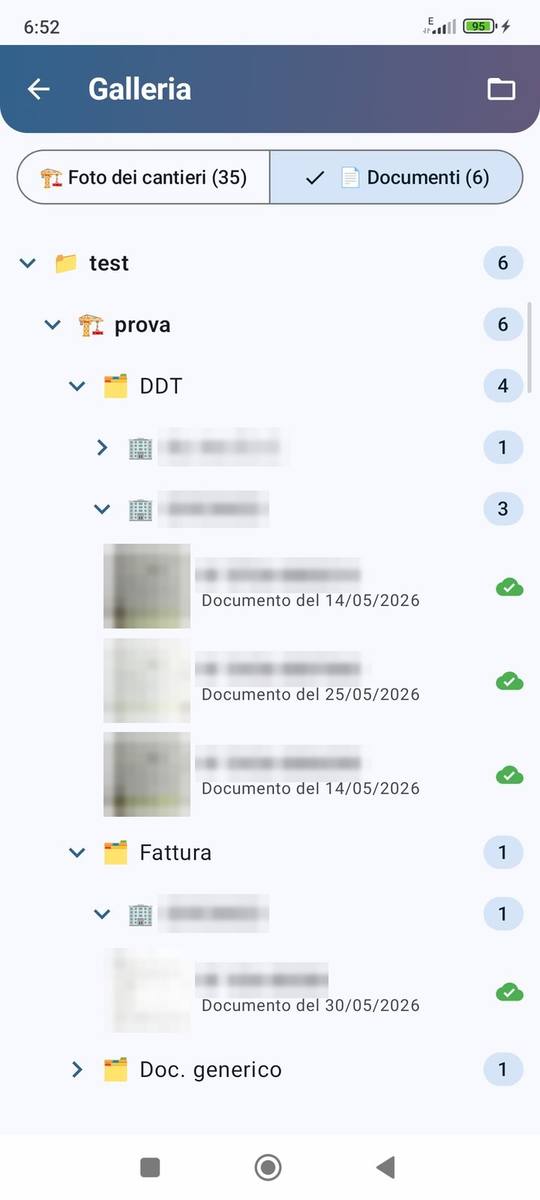
Gallery by site and day, documents by type and supplier, quick tags, search.
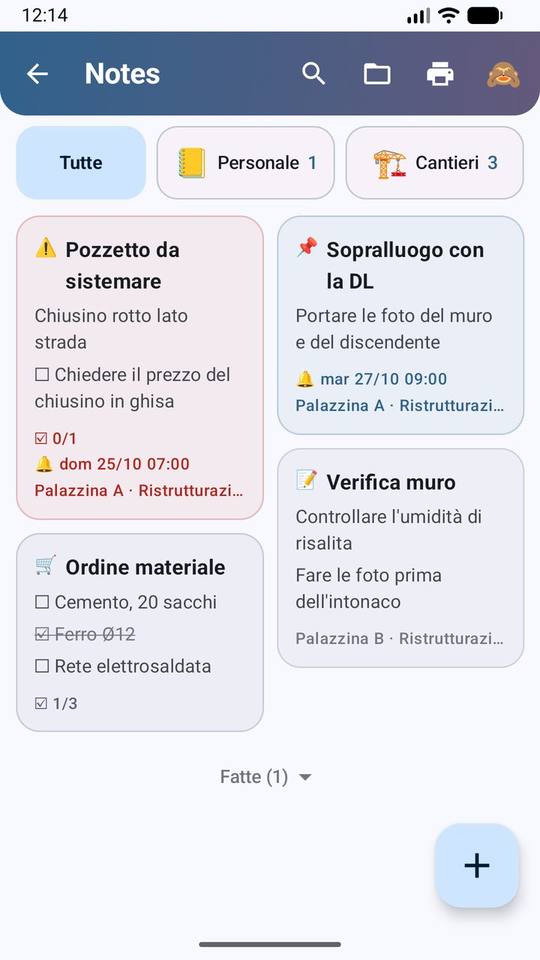
Things to order, defects, meetings with the site manager: with photos, dictation and an alert at the right time.
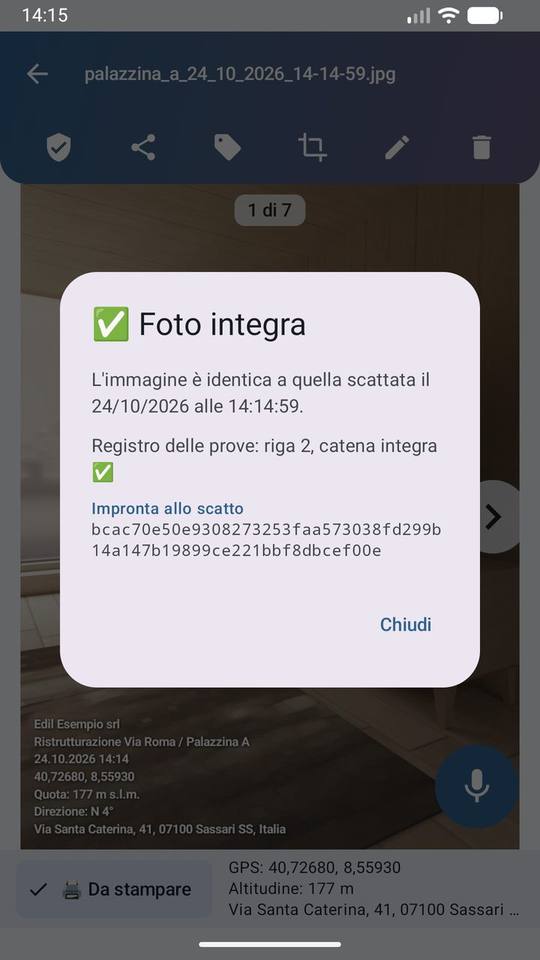
Every shot gets a fingerprint (SHA-256) and a chained log: you can prove the photo has not been altered.
Everything copies itself to your Drive with the same folder structure. Several phones, one archive for the company.
Colours by importance, notes grouped by day, sharing as text or PDF.
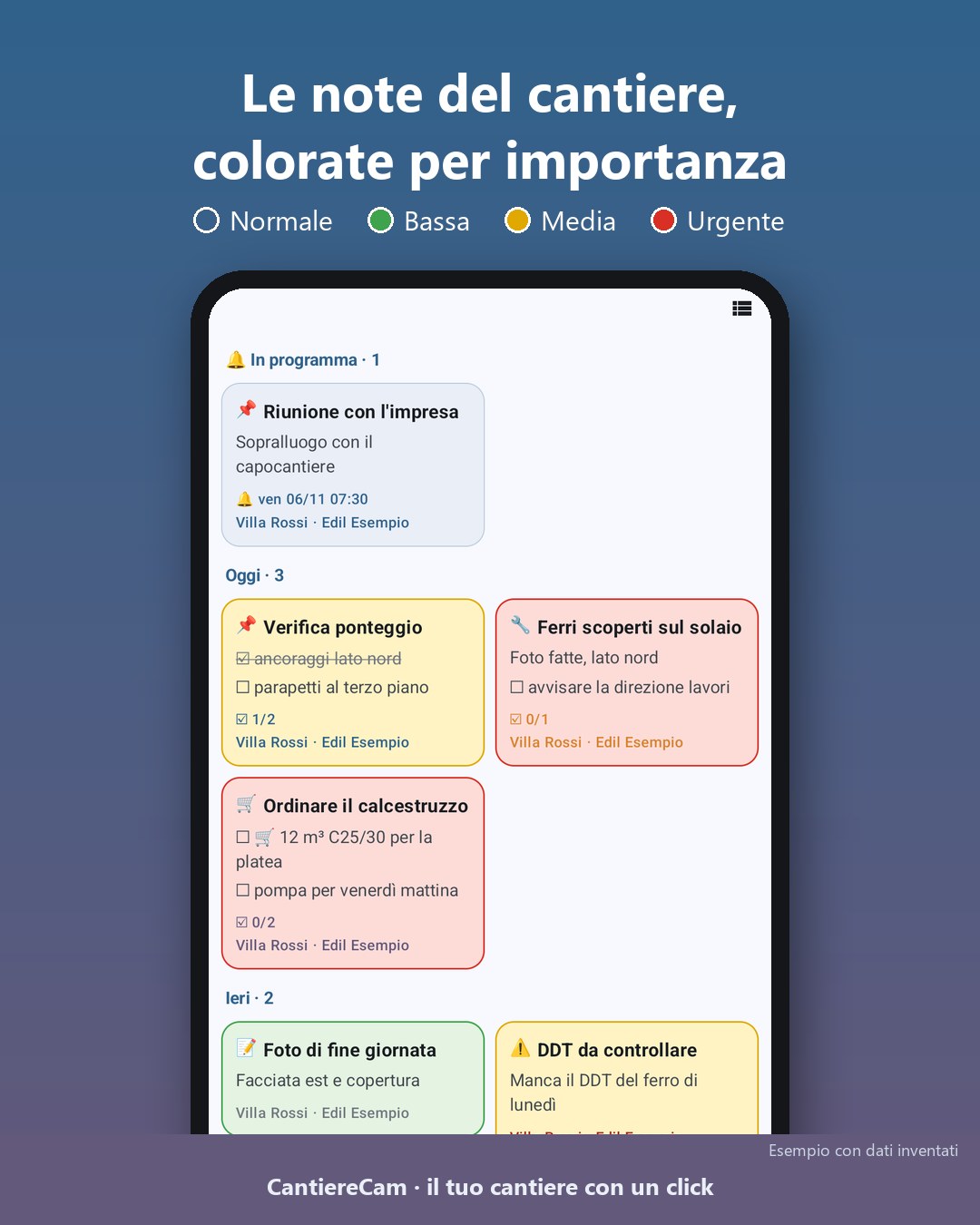
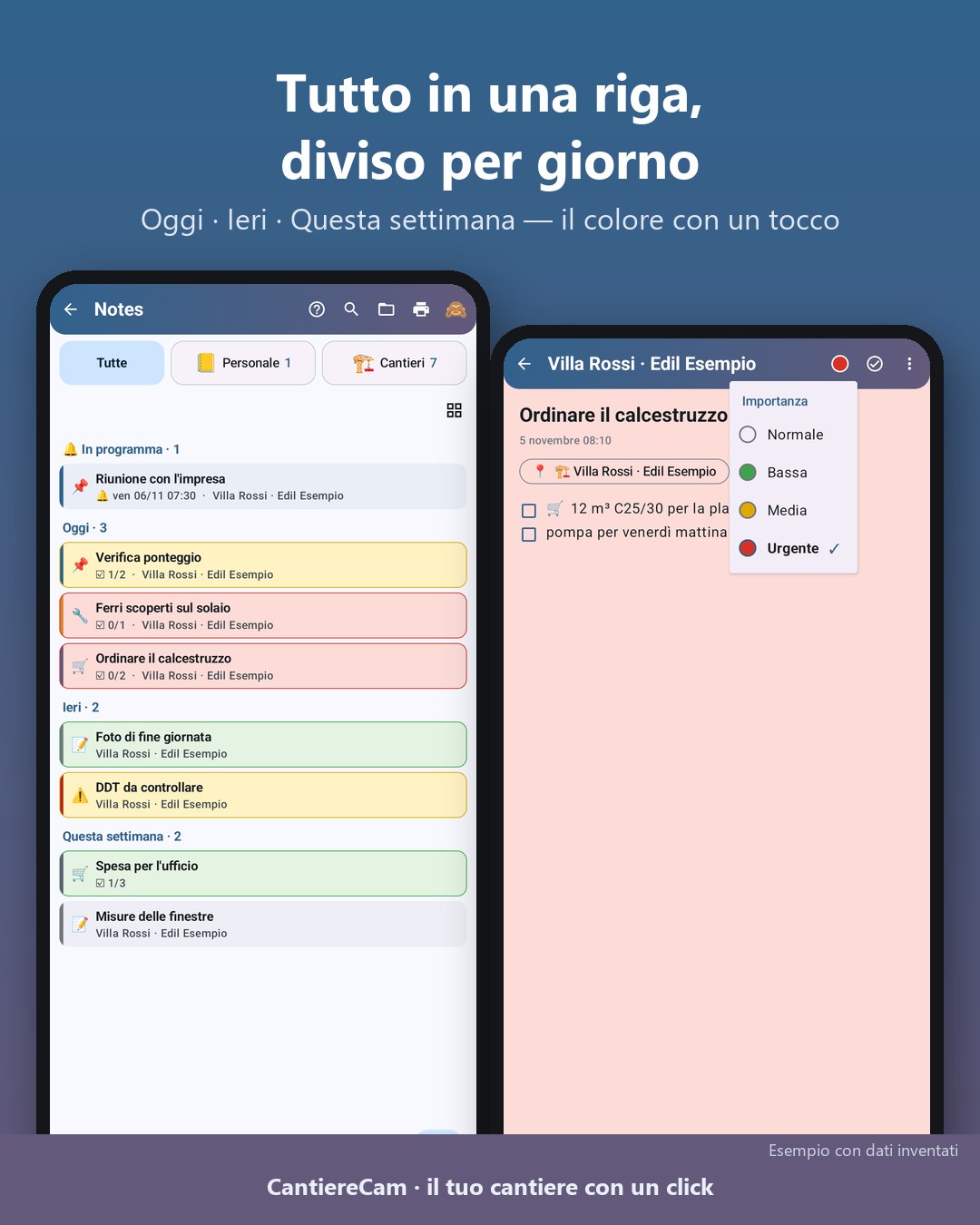
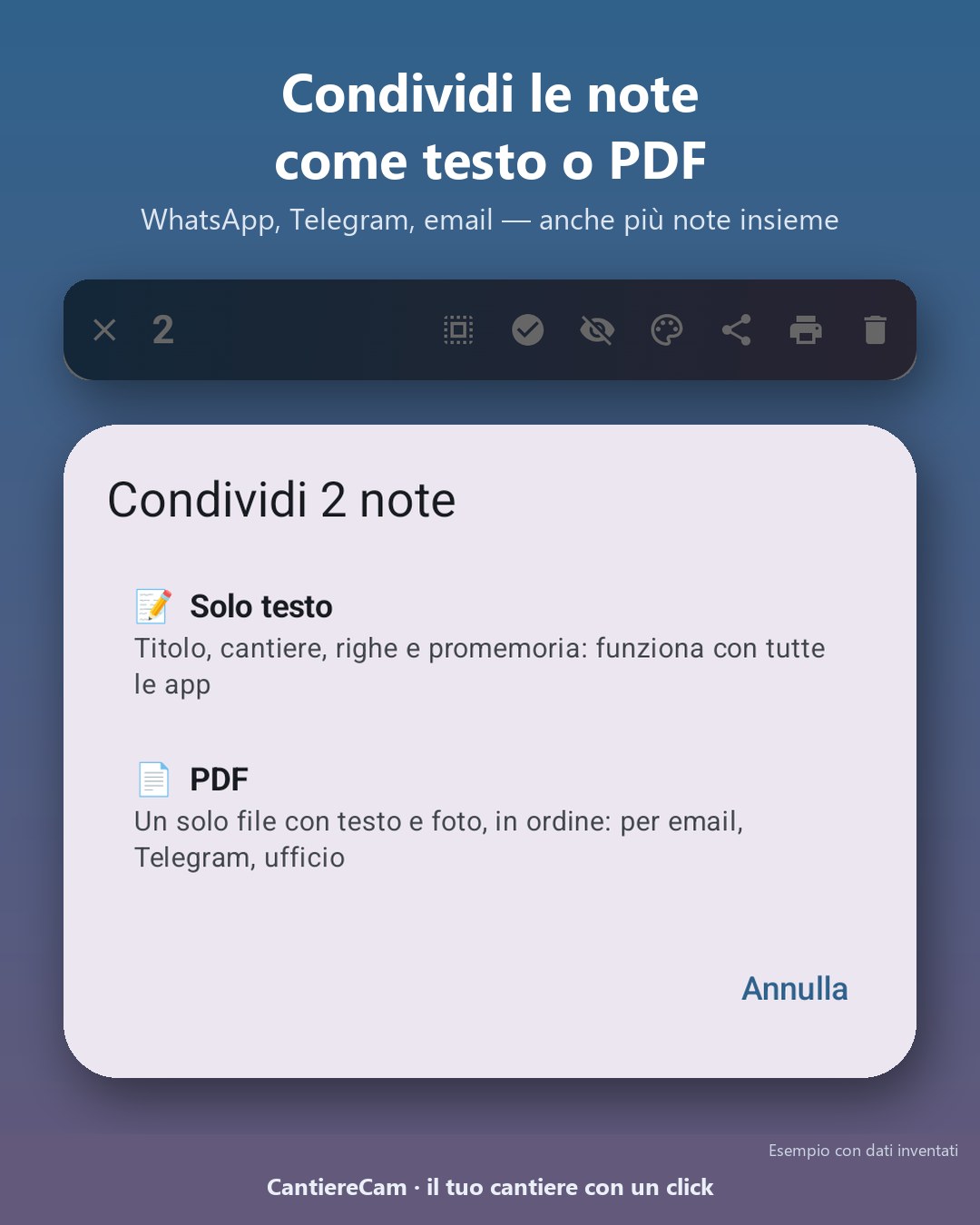
CantiereCam grows every week with what the technicians testing it ask for. Here are the latest additions.
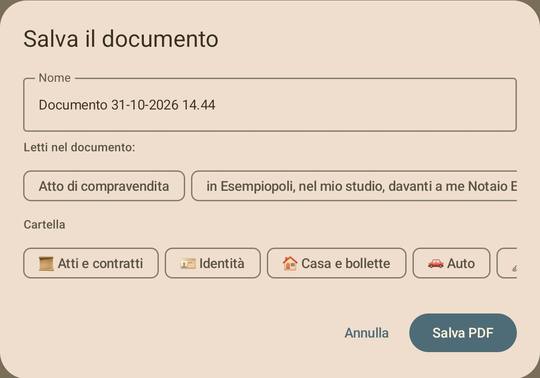
Deed, contract, bill, medical report: scan the pages, the app reads the text and suggests a name, you pick the folder. You get a searchable PDF, kept apart from the sites and copied to Drive. No separate scanner app needed.
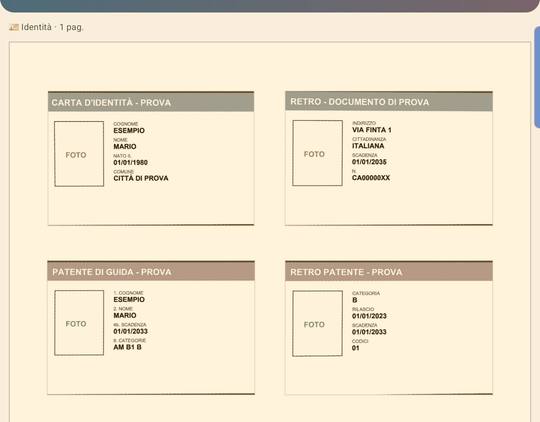
Front and back of identity card, driving licence, tax code card or DNI side by side on an A4, life-size: printed, it looks like a copy-shop photocopy. Up to 4 cards per page.
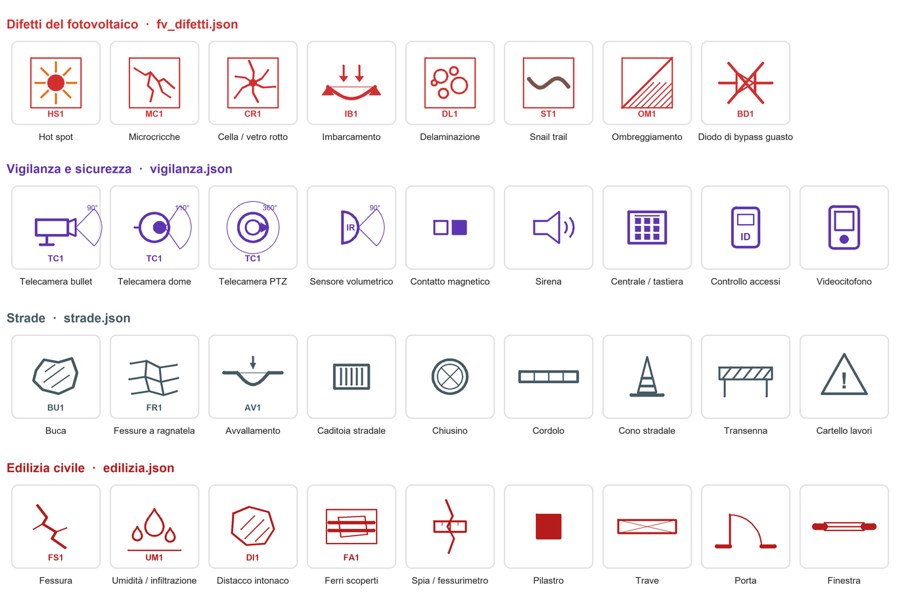
Solar PV and its defects, electrical, plumbing and gas, security with cameras and their field of view, roads, water mains, sewers, building. They rotate, number themselves and take your own code.
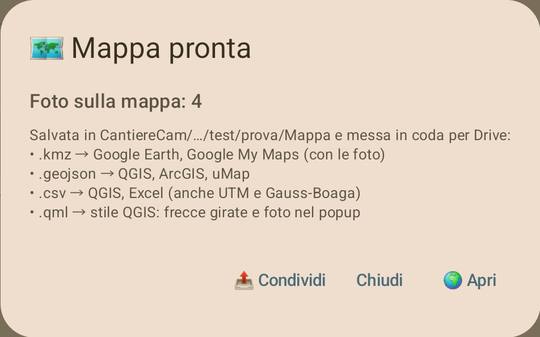
Site photos become points with the shooting direction: KMZ for Google Earth, GeoJSON with a ready style for QGIS and ArcGIS, CSV with UTM coordinates.
Plus: document folders grouped by type (Identity, Car, Home and bills…) and fully customisable, and a notice when an update is available.
The list of materials delivered to site without copying anything by hand: photograph the delivery note or invoice and CantiereCam does the rest, on the phone, even offline.
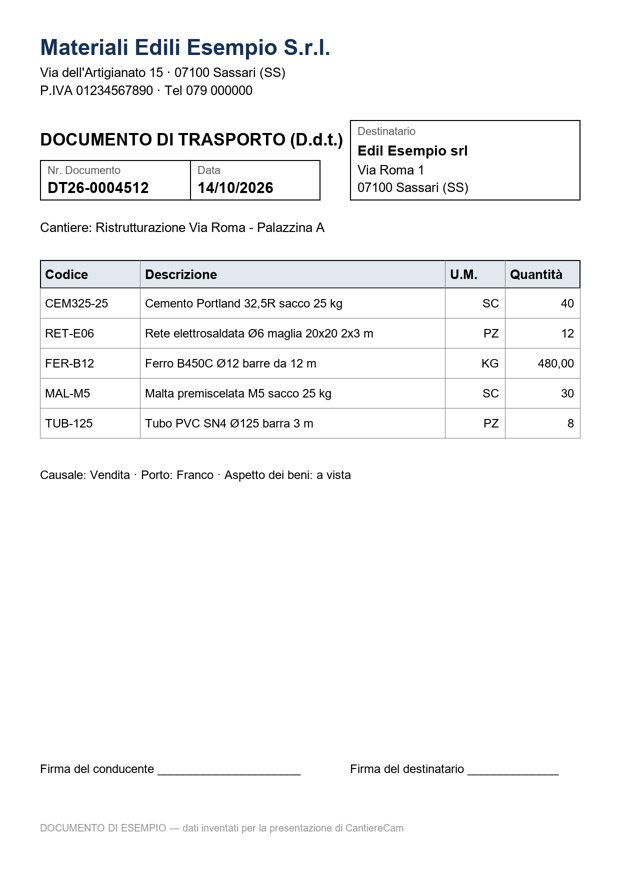
In Document mode, or with the scanner that straightens the page.
It recognises supplier, number and date, then reads the lines: code, description, unit, quantity, prices and discounts.
A tick for every material delivered, a note if something is missing. You always decide.
One sheet for delivery notes, one for invoices, one row per material, with real dates and numbers and filters already on.
| Supplier | Materiali Edili Esempio S.r.l. |
| Document no. | DT26-0004512 |
| Date | 14/10/2026 |
| Lines | 5 materials |
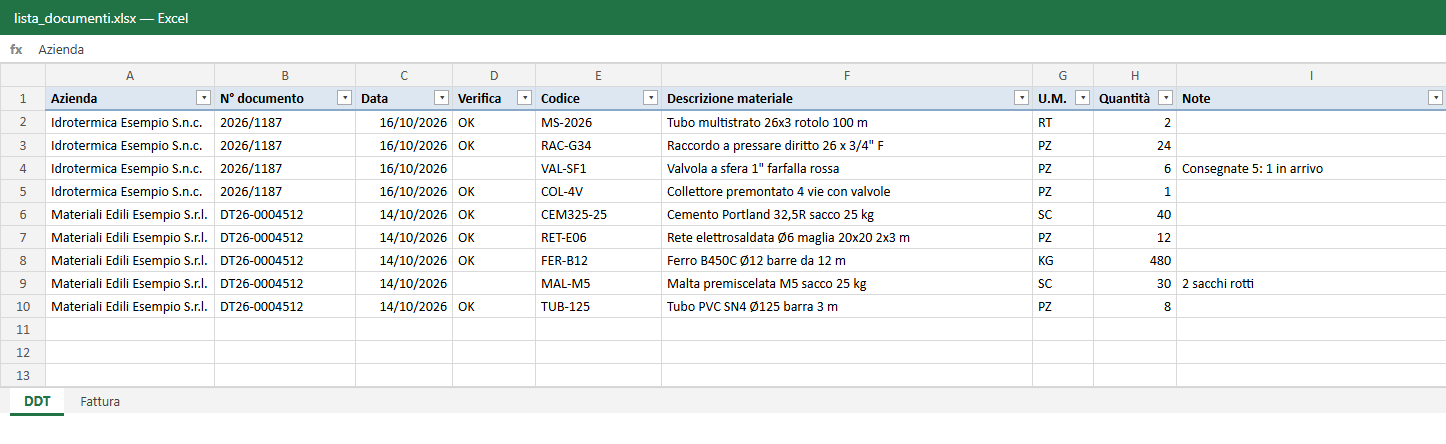

Example with made-up documents and suppliers. File: Documenti/lista_documenti.xlsx in the site folder, also copied to Drive.
With your finger or the tablet pen you write as fast as on paper. And with site lines you mark pipes, cables and demolitions: no other app has them.
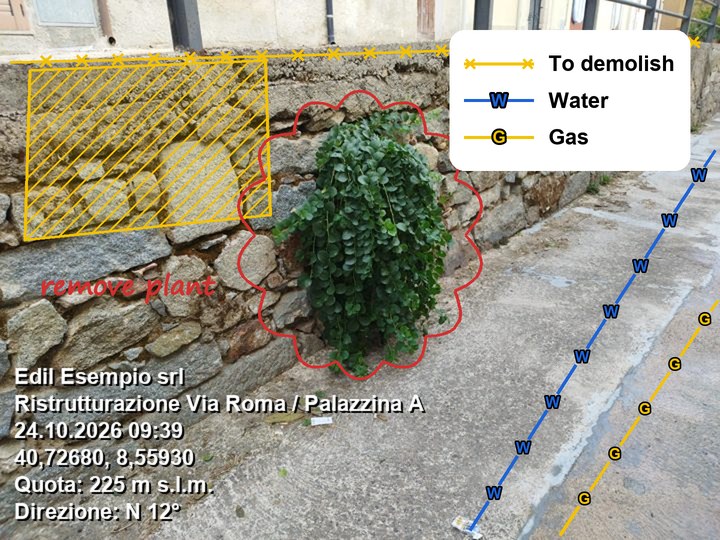
The stroke starts at once, dots and accents stay, one tap undoes a whole word. With the pen, a resting palm does not write.
Water, gas, sewer, electric and telecom, with the letter along the line and the colour of the warning tapes.
Dashed, dash-dot, ✕ to demolish, ☁ revision cloud and ▨ hatched area, just like on drawings.
Three widths, one tap to choose. Hold your finger still for half a second and the line becomes straight.
It writes itself in the free corner of the photo, only with the lines you used.
The original stays untouched: drawings go into a copy, with its own fingerprint as evidence.
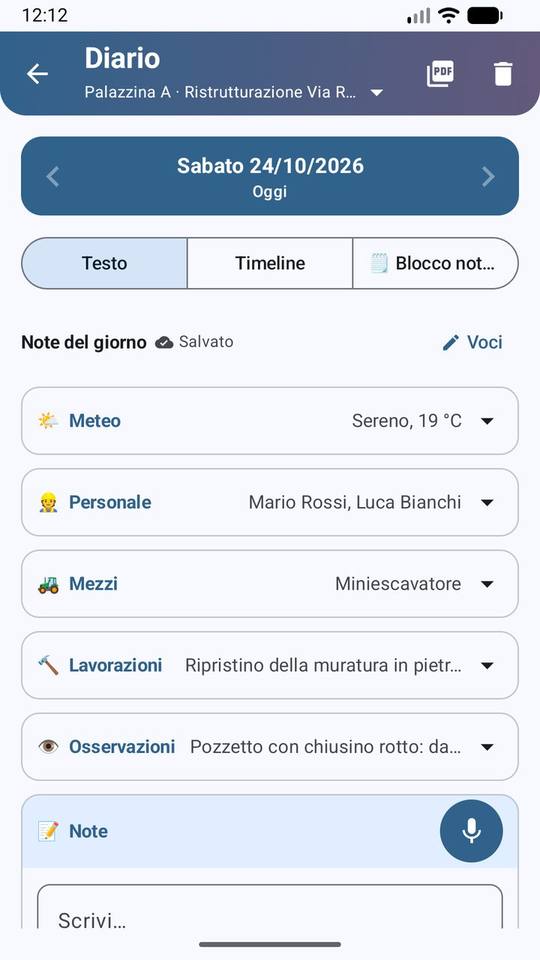
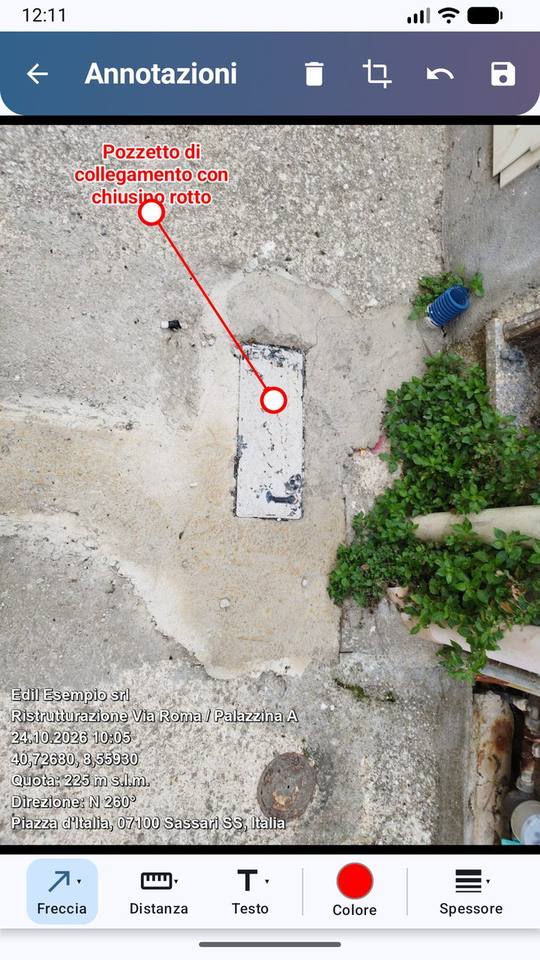
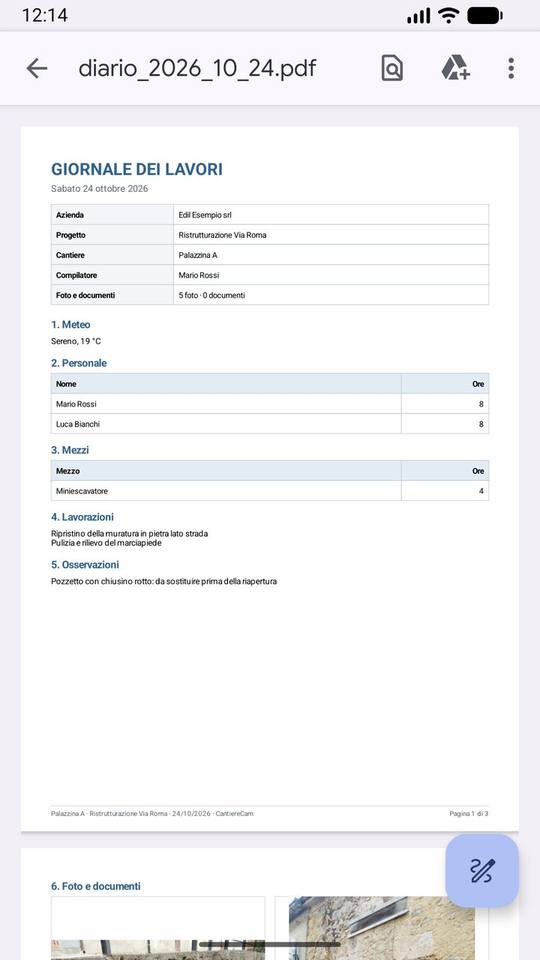
From the daily diary, a PDF or Word file ready to sign: your logo, site details, workers and machines with hours, then the photos. You choose how many per page.
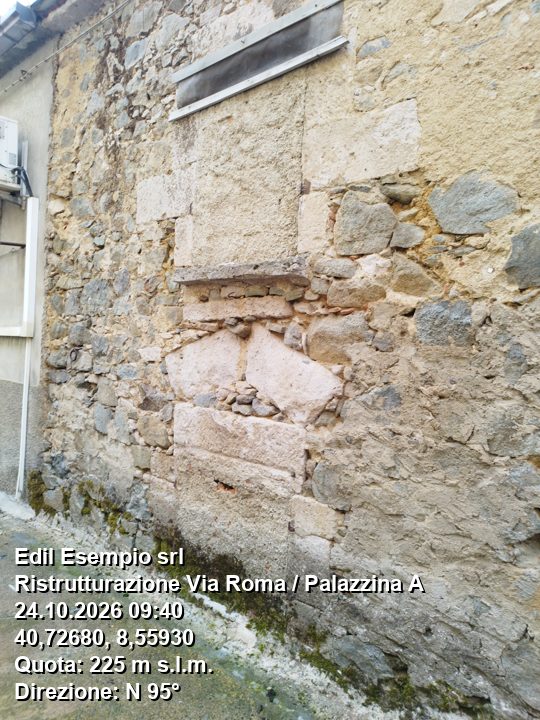 Foto 1 · 24/10/2026 09:40 · N 12°
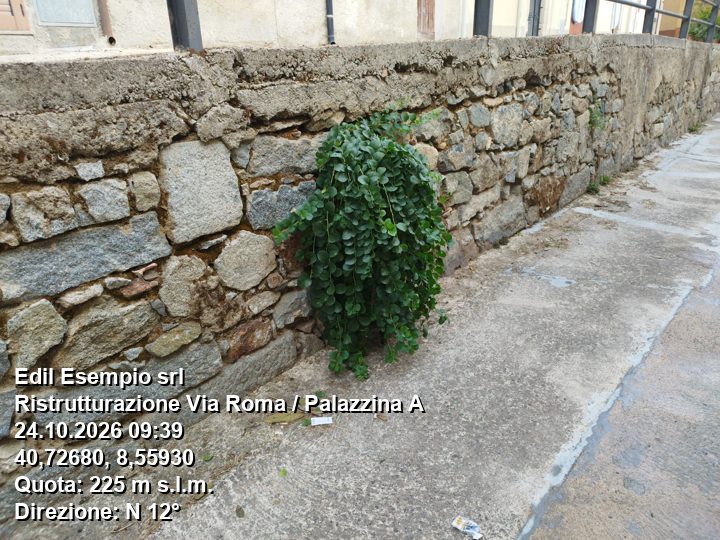 Foto 1 · 24/10/2026 09:40 · N 12°
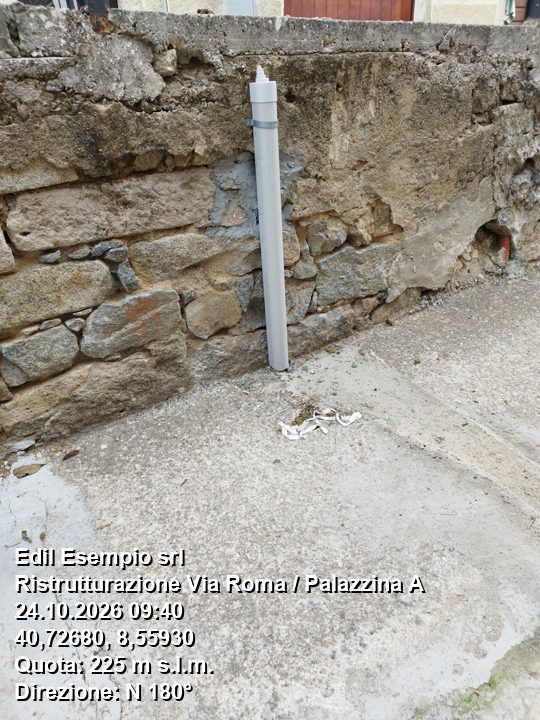 Foto 2 · 24/10/2026 09:41 · N 95°Foto 1 · 24/10/2026 09:40 · N 12°Foto 2 · 24/10/2026 09:41 · N 95°
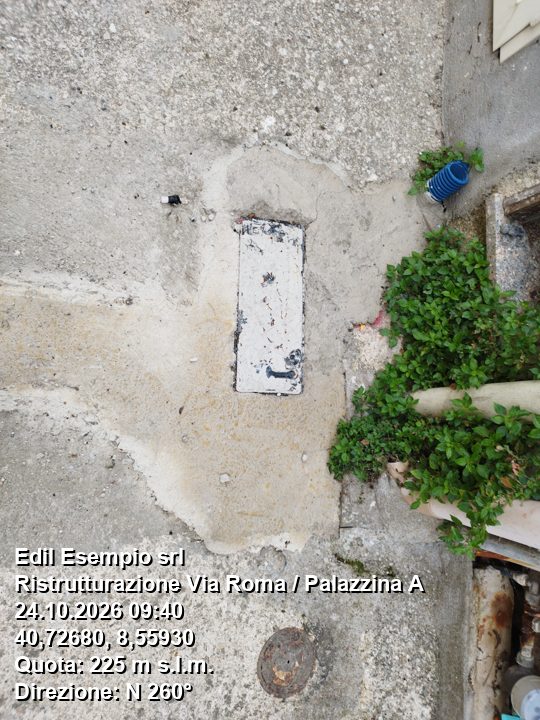 Foto 3 · 24/10/2026 09:42 · N 180°
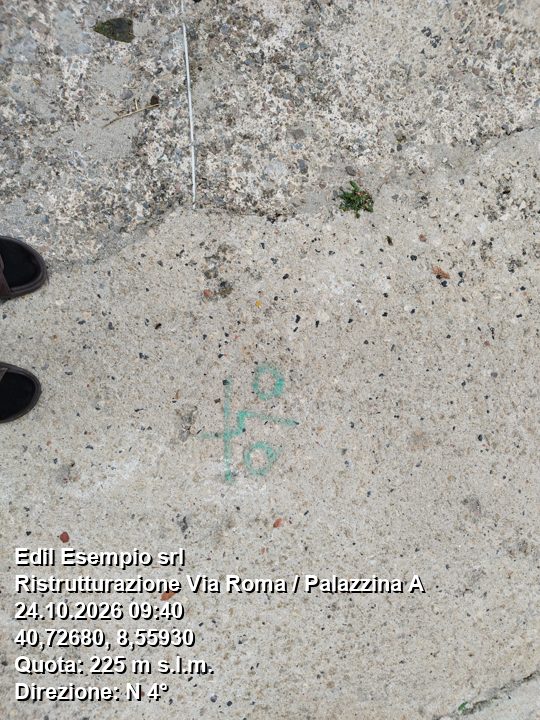 Foto 4 · 24/10/2026 09:43 · N 260°
Also 6 per page · optional captions · only the photos you pick · fingerprint table for evidence · PDF or Word
Each phone uploads to its own folder, with the same structure you see in the app. The office opens Drive and finds everything without asking anyone.
Shoot with the phone on site, pick up on the tablet in the office or in the van. With the same Google account the devices talk to each other on their own, through your Drive.
Create a site on the phone and find it on the tablet, with its folders.
Something to order written on the tablet shows up on the phone too; the latest change always wins.
Stamp, logo, quick tags: set them once and they apply to every device.
In every site you see how many photos and documents each device has taken.
Each device uploads to its own folder: no duplicates, no overwritten files. It also works for a team with several phones.
Site photos, delivery notes, contracts and notes concern clients, companies and people. Before adding features, CantiereCam takes care of bugs, security and privacy.
They only show inside CantiereCam, not next to your family pictures.
They open only after unlocking the phone, from anywhere in the app, and they don't end up in the Diary or the CSVs.
Photos and documents never go through my servers. No advertising ID, statistics can be switched off.
The code has been checked for weak spots and the ones found are already fixed.
On phone, tablet and emulator with made-up data, plus automated tests.
Settings → About → Send log: a small file with what the app did, without photos, notes or documents.
Hidden notes are hidden from view but not encrypted: for passwords and very sensitive data use an app made for that. Read the privacy policy
They only show in the CantiereCam gallery: no work photos mixed with family ones, no building site popping up when you show someone your pictures.
Made for people whose hands are busy on site: shoot, save and get back to work in a few taps.
In tunnels, in the countryside, in basements: shoot and save anyway; Drive catches up when the signal is back.
No servers of ours, no account to create: your phone and your Drive, that's it.
You decide what a photo is and where it goes. The app takes away the boring work, not the control.
Site managers and workers document every day; the office finds everything on Drive.
Inspections, reports, photos with dimensions and proof of date.
Electricians, plumbers, HVAC: photos before closing the walls, material delivery notes.
Patrol rounds, reports with photos and location, issue reports.
Mountains, trekking, hiking, field surveys, home projects: photos with date, coordinates, altitude and direction, on the Google Earth map, even offline.
We are looking for engineers and contractors who will really use it on site and tell us what to improve. You need an Android phone and a Gmail account: install it from the Play Store and it updates itself.
CantiereCam can become your team's tool: licences for several phones, your brand, a link to your management or job-costing software. If you make construction software and are looking for a ready site app, let's talk.
Contact us CantiereCam